QR codes that are actually your image
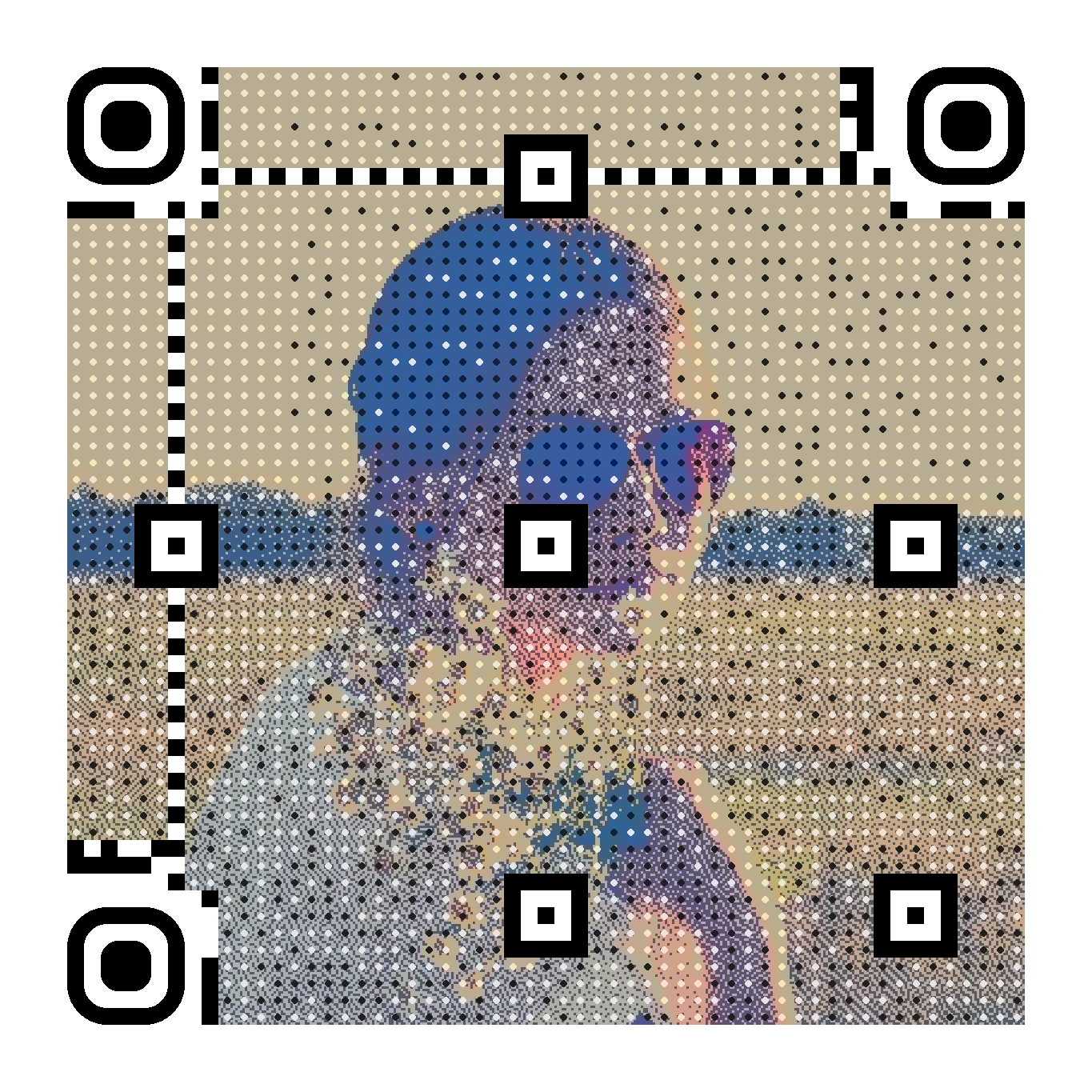
Your picture is not printed over the code — it is encoded into the code itself, down to the error-correction bits. Every QR stays fully scannable.
Your photo becomes the code
No logo pasted on top. The picture is woven into the QR data and error-correction bits, then verified by a real decoder before you download it.

How it works
1
Upload a picture
A face, a logo, a product shot. Crop it, paint the important areas, protect what must stay perfect.
2
We encode it
Our solver weaves your image into the QR bits, picks the best mask, and verifies the result decodes.
3
Print & track
Download PNG or print-ready SVG, change the destination anytime, watch the scans come in.
Built for real-world use
Guaranteed scannable
Every code is decoded and verified before delivery. If it does not scan, it does not ship.
Dynamic destinations
Edit where your QR redirects after printing — reuse the same printed code for every campaign.
Scan statistics
Daily scan counts and device breakdown for every dynamic QR code, exportable as CSV.
Print-ready SVG
Vector output scales from business cards to billboards without a single blurry pixel.
Visual editor
Crop, paint the areas that matter most, and protect zones — a logo, a face — that must stay pixel-faithful.
API & webhooks
Generate QR codes programmatically and get notified when they are ready (Business).
WiFi access codes
Guests scan your photo and join your network — the credentials are engraved in the code, no server needed, ever.
Payment QR codes
Banking apps pre-fill a SEPA transfer to your account — tips, donations, invoices. Your IBAN is never stored on our servers.
Frequently asked questions
Will my QR code really scan?
Yes. Unlike tools that paint a logo over a standard code, sqr.art encodes your image into the QR data and error-correction bits themselves. Every generated code is verified by an actual decoder before you ever see it — an unscannable code cannot leave our servers. And you do not have to take our word for it: our generation engine is open source (sqrart/qart on Packagist).
What if it does not scan in real life?
It should not happen: the free live preview lets you test with your own phone before paying, and every final code is verified by a real decoder. If a code still fails in your conditions — a tricky print, an unusual screen — write to us: we will help you fix it, or refund your purchase.
What can the QR code contain?
Three things today: a link (editable anytime, with scan statistics), WiFi access (guests scan and connect — perfect for cafés and hotels), or a SEPA bank transfer that banking apps pre-fill (tips, donations, invoices). WiFi and transfer codes are engraved in the image itself and work without our servers, forever.
Can I change the destination after printing?
Yes. Your QR encodes a short sqr.art link, and you choose where it redirects — you can update the destination anytime, even after the code is printed on thousands of flyers.
Can I print it at large sizes?
Every generation includes a print-ready SVG that scales to any size without artifacts. For the halftone texture we recommend a minimum printed size of about 4×4 cm at 300 dpi.
How much does it cost?
The live preview is free. A QR code costs 5 € once — yours for life, with an editable destination and scan statistics. Need many? The Pro plan (9 €/month) includes unlimited QR codes and smart redirect rules; Business (29 €/month) adds the API, batch generation, CSV export and custom domains.
What image formats work best?
JPEG, PNG, WebP and GIF are supported. Pictures with good contrast and a clear subject — a face, a logo, a product — give the best results. The built-in editor lets you crop, paint the areas that matter, and protect zones that must stay perfectly faithful.